
Remote IT support — fixed in a secure session
Get expert help without leaving home. We connect securely to your computer and fix issues in real time — $99 per session.
You stay in control
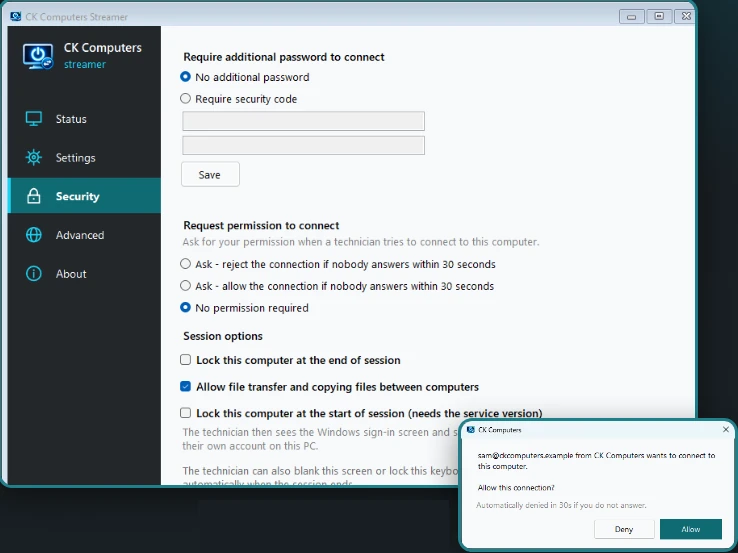
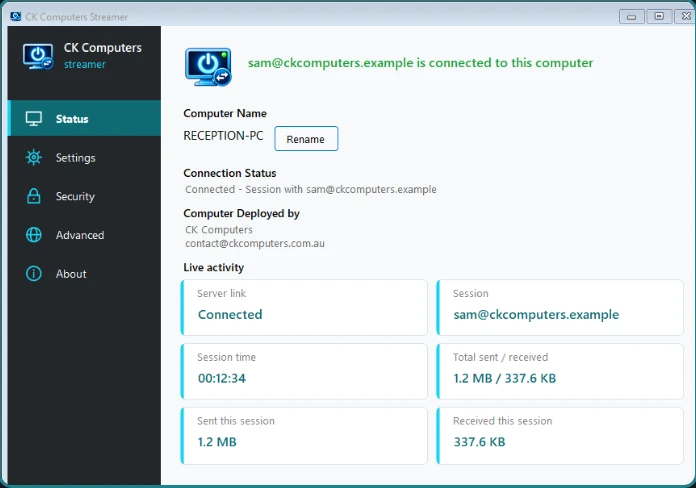
You decide who connects. With the optional permission prompt you click Allow, and if nobody answers within 30 seconds the connection is refused. You can add an extra security code, switch file transfer off and have your computer locked at the end of every session. The tray icon turns green whenever a technician is connected.
Fixed in real time, while you watch
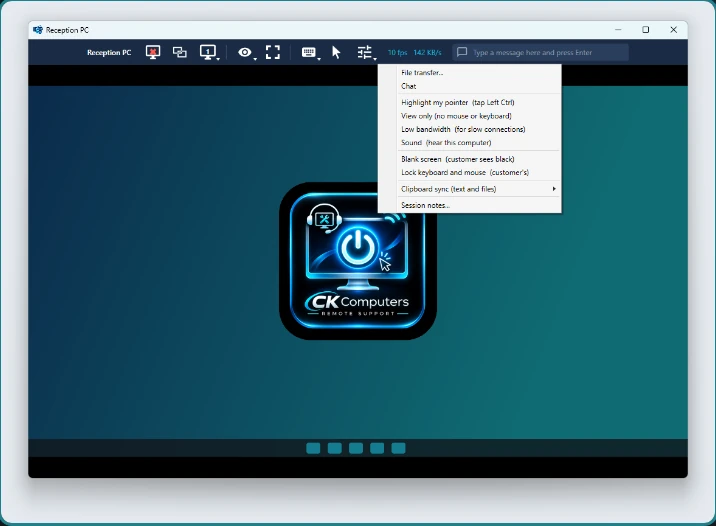
We switch between monitors, zoom in, chat with you from the toolbar, sync the clipboard and blank your screen for privacy when needed. That covers software errors, installs and updates, clean-ups, slow performance, connectivity problems and virus removal.
File transfer when you need it
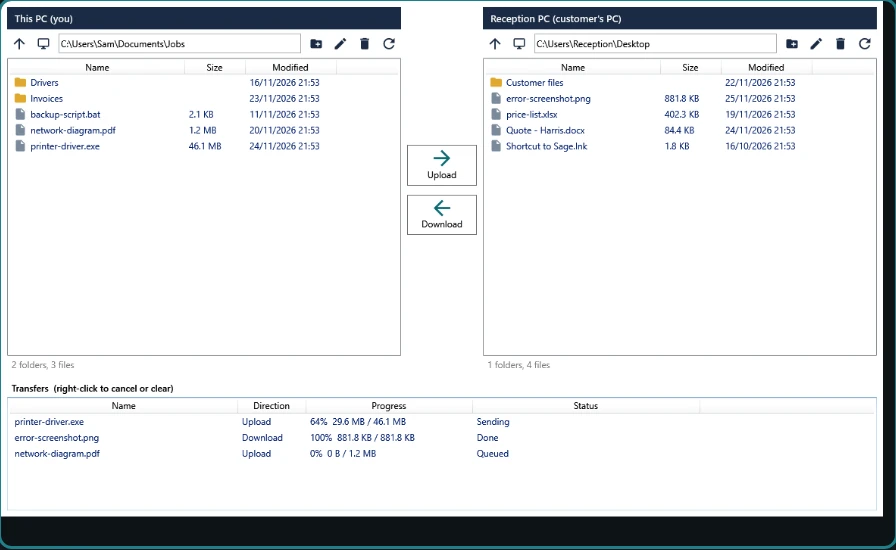
A simple two-pane window: your PC on one side, ours on the other. Upload or download files and whole folders, with a queue showing progress. It only works inside an approved session, and only if you allow it. Every file action is logged.
Works on slow internet
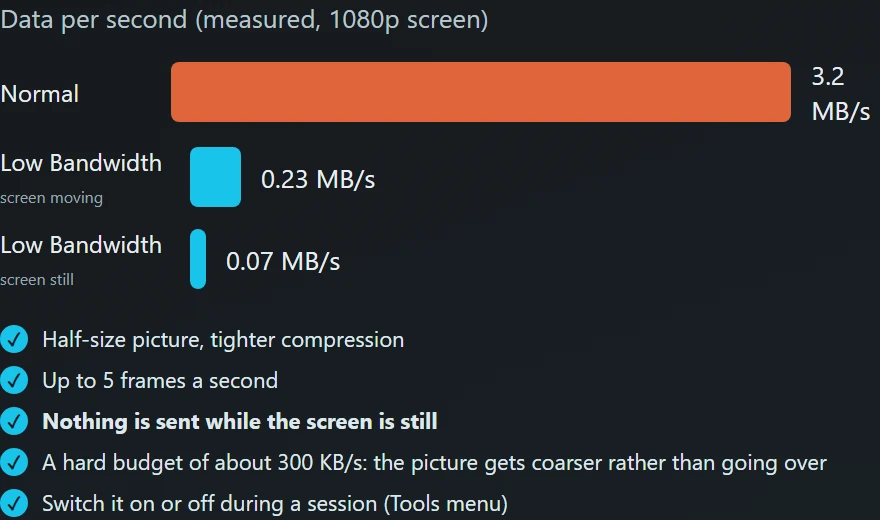
Low Bandwidth mode sends a half-size picture with tighter compression: about 0.23 MB/s while the screen is moving, compared with 3.2 MB/s normally, and almost nothing while the screen is still.
Secure by design
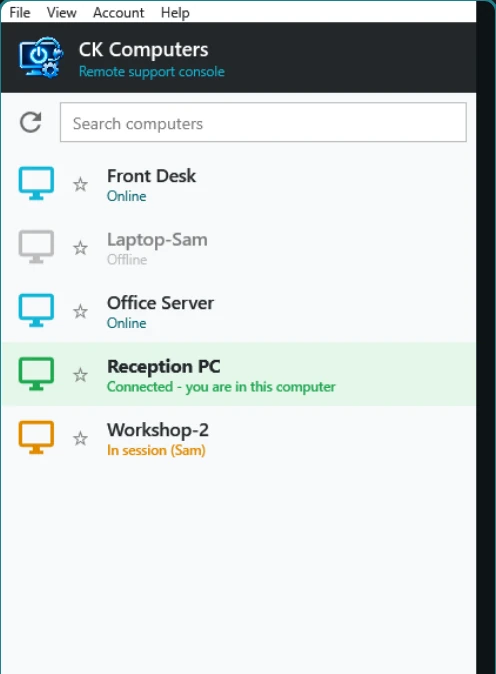
Your PC connects out to our server, so nothing is opened on your network and there are no router changes. The connection is encrypted, our apps trust only our own server, and every session is recorded in an audit log. Our technicians sign in with two-step verification and only see the customers they are assigned to.
Want us always on call? Add the $5 a month subscription
Install once and your PC stays connected to our support system, with no codes to read out. Click the installer, approve Windows' prompt and you're done. It runs as a Windows service. See the Remote Support Subscription in our shop.
Common questions
Is remote support safe?
Yes. You stay in control: connections can require your permission, the connection is encrypted, and every session is logged. We explain everything we do.
What do I need?
A Windows PC with an active internet connection.
Can you see my screen without me knowing?
Not if you switch on the permission prompt: you click Allow, and the connection is refused if nobody answers within 30 seconds. The tray icon also turns green while a technician is connected.
Will it use a lot of data on a slow connection?
No. Low Bandwidth mode drops to about 0.23 MB/s while the screen is moving and almost nothing while it is still.
What does the $5 a month subscription do?
It keeps CK Remote Support installed and connected, so we can step in quickly without codes or extra programs. Nothing is opened on your network.
Do you support Mac, Linux and SteamOS?
Yes, we support all of them. Our own remote software, CK Computers Support, runs on Windows PCs. For Mac, Linux and SteamOS we work in our workshop, on-site, or by collecting your device with ClickFix Collect.
Ready when you are
Book online or call 0434 385 444 · Afterpay & Humm available.